
Stop trading someone else's watchlist. Build your own channel.

If semis are your thing, you shouldn't have to dig for them in a feed built for everyone.
AT A GLANCE
- What: your own alert channel, built from your tickers and rules
- Where: the Channels tab, + Build
- Time: about 2 minutes
- Bonus: a live Preview shows how your recipe did on real past alerts
THE PROBLEM WITH ONE-SIZE ALERTS
Curated channels are built for everyone, so on any given day most of what they post isn't your trade. You scroll past noise to find the one setup you care about.
HOW TO BUILD A CHANNEL IN THE NTTS APP
- Step 1: Open the Channels tab and tap + Build. You can also open any channel and tap Clone recipe to start from its filters.
- Step 2: Name it, pick Single leg or Spreads, and type your tickers (for example SOXL, SMH, AMD).
- Step 3: Set the side (Any, Calls or Puts), the weekdays, and the time window you trade: All day, Open, Mid or Pwr hr.
- Step 4: Tap + Add condition to layer on your rules. Every condition has to pass.
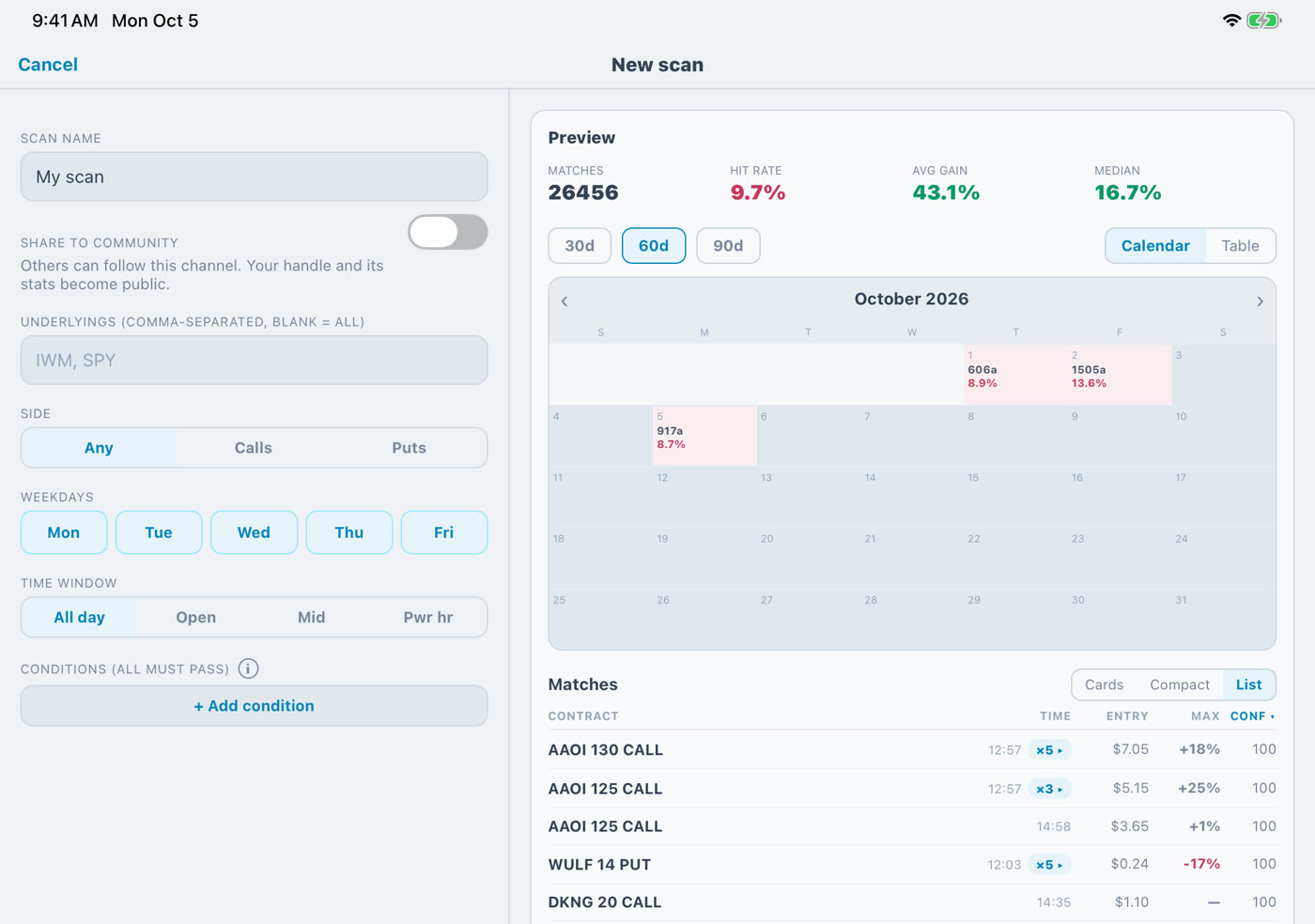
- Step 5: Watch the Preview: Matches, Hit rate, Avg gain and Median, plus a calendar of the days that matched, all from real past alerts.
- Step 6: Tap Save scan. It lands in My channels with its own alert feed. Flip Share to community if you want others to follow it.
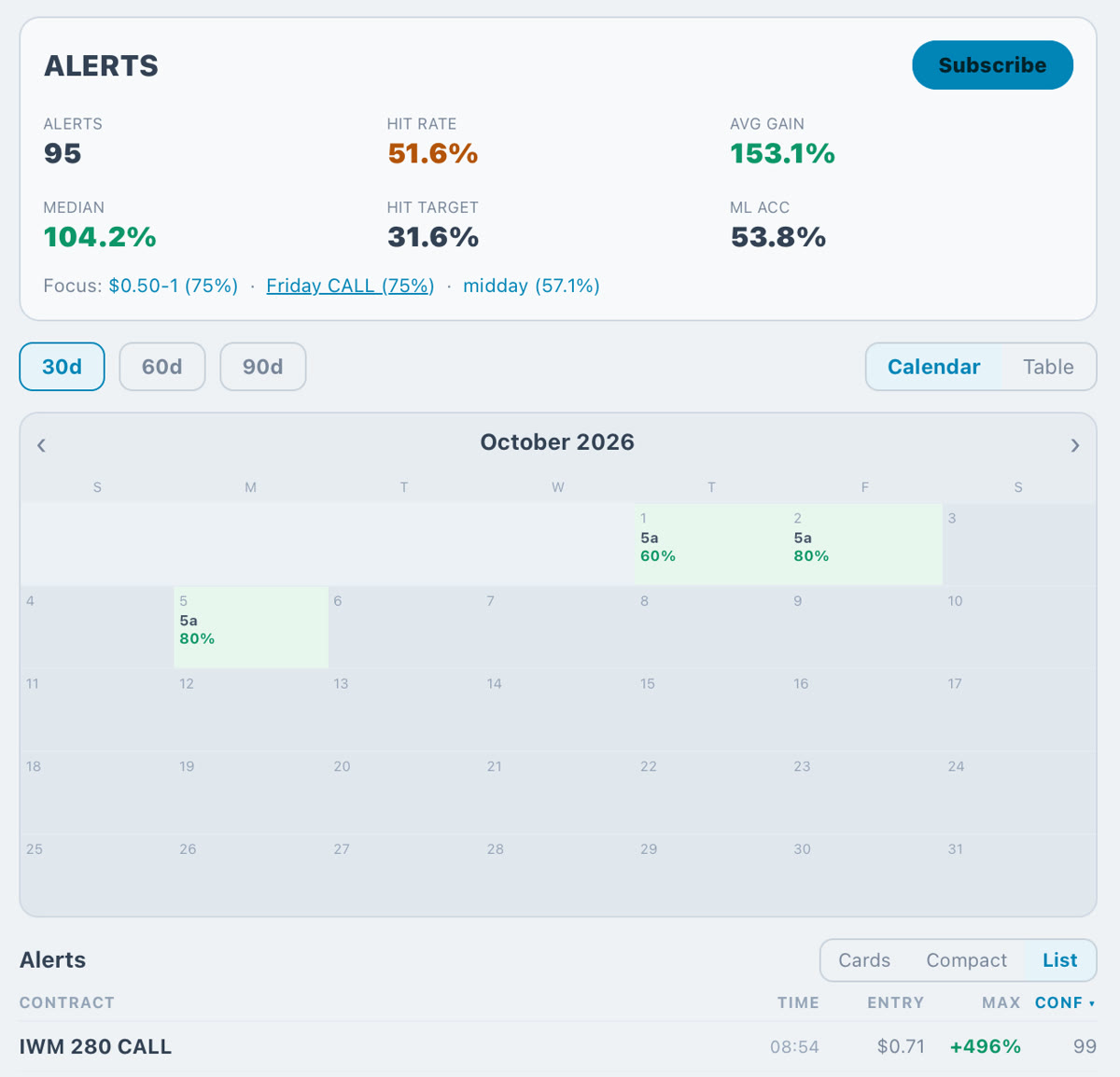
EXAMPLE
"Semis calls at the open": SOXL, SMH and AMD, Calls, the Open window, Monday to Friday. The Preview shows how that exact recipe has done before you save it.
YOUR TURN
What's the first channel you'd build? Drop your recipe in the comments: tickers, side, time window, a screenshot of your Preview, or a GIF of how your last trade felt. We'll feature the best setups in an upcoming post.
Model alerts. Past results don't guarantee future ones. Not financial advice.
Posted by the NTTS system. Numbers are the machine's own record for that session — decision-support, not personalized investment advice. Options involve substantial risk.