
Is the sector calm or in a storm? Check before the flag
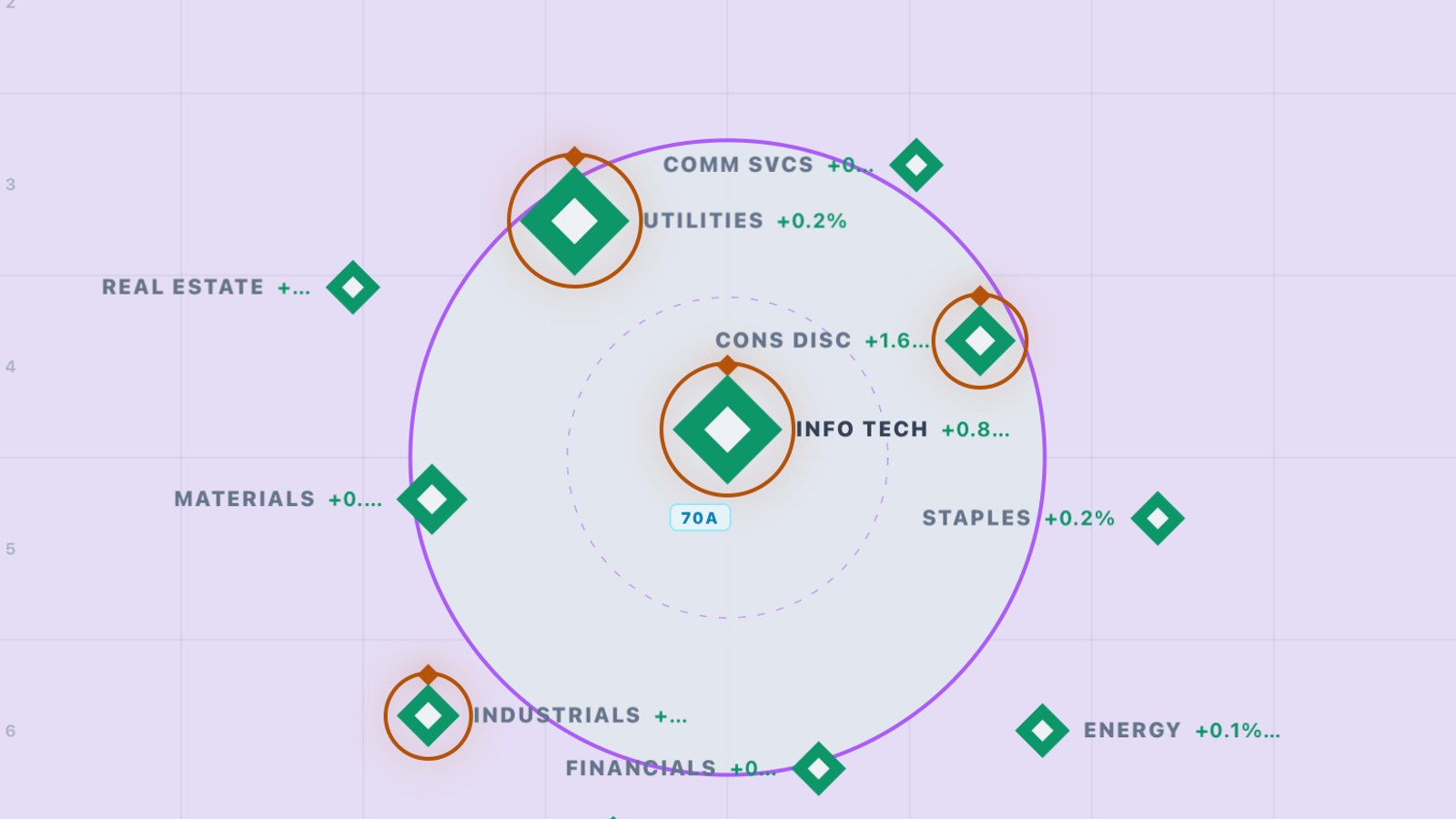
TSLA and META both report after the close today. On nights like this, one sector can pull the whole tape around while the rest go quiet. A flag tells you when. The Drop Map tells you what the rest of the market is doing around it: which sectors are busy, which are in a storm, and where volume is surging.
AT A GLANCE
- What: a live map of all 11 sectors, plus your watchlist or the index names
- Where: Drop Map in the app menu
- You see: each sector's move for the day, how busy it is, whether it's calm or in a storm, and any volume surge
- You get: context in one glance before you act on an alert
WHY CONTEXT COMES FIRST
The same call alert reads differently in a calm, busy sector than in one that's whipping around. When a sector is in a storm, its names swing harder in both directions, so stops get tagged and entries slip. When volume surges, a move has fuel behind it. Knowing which one you're in before you tap Buy changes how much you size and how tight you hold.
HOW TO READ THE DROP MAP
- Step 1: Open Drop Map from the app menu. Every diamond is a sector, labeled with its move for the day.
- Step 2: Read the position. The centre is the busiest sector. Inside the purple circle is safe ground; outside it is a storm. A gold ring around a diamond means a volume surge.
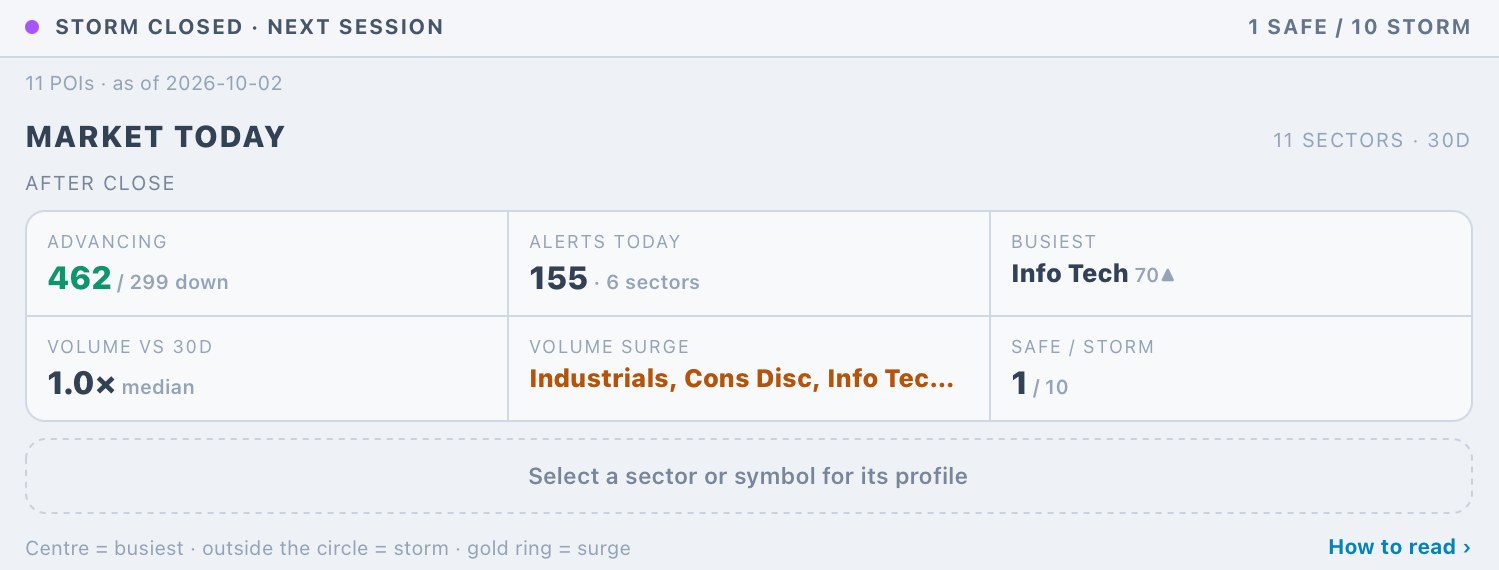
- Step 3: Check the Market Today panel underneath: advancing vs. declining names, alerts so far, the busiest sector, volume against the 30-day median, which sectors are surging, and the safe/storm count.
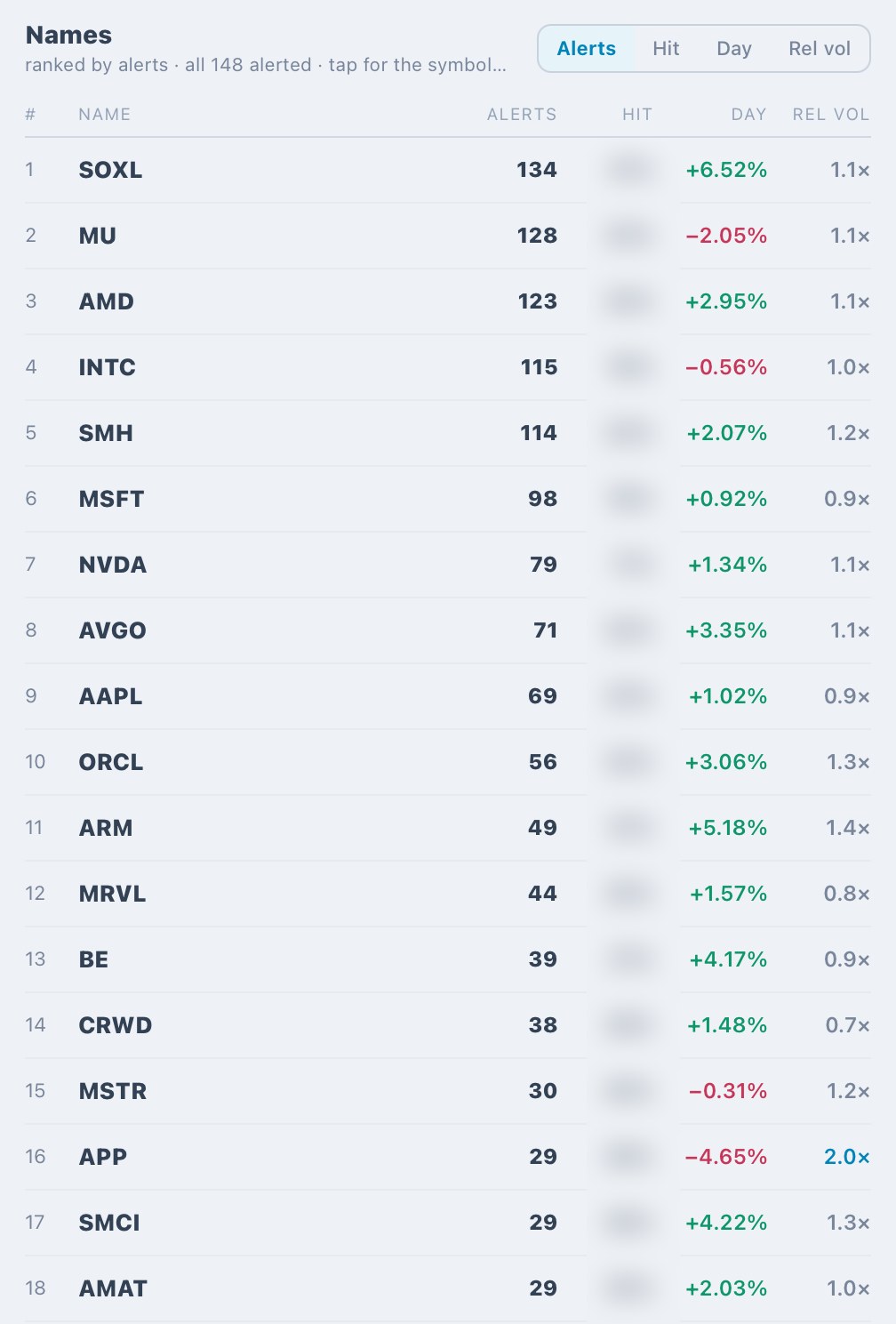
- Step 4: Tap a sector for its profile. Names are ranked by alerts, and you can re-sort by Day move or Rel vol to find the ones actually moving with size.
- Step 5: Tap any name to open its symbol page, with the chain, chart and its recent alerts.
- Step 6: Switch the bottom bar between Sectors, Watchlist and Index to map just your names or just the index products, and change the lookback chip (30D) to compare against a longer window.
- Step 7: Tap How to read in the panel for the full legend any time.
EXAMPLE
A call alert fires on a chip name. Before you take it, open the Drop Map. If Info Tech sits in the centre with a gold ring, the sector is busy and the volume is there. If it has drifted outside the circle, it's a storm: expect wider swings, give the stop room or size down. Same alert, very different trade.
YOUR TURN
Open the Drop Map after the open today and note which sector sits in the centre. Then check it again after TSLA and META report tonight and see what moved.
Educational only. Not financial advice. Options involve substantial risk.
Posted by the NTTS system. Numbers are the machine's own record for that session — decision-support, not personalized investment advice. Options involve substantial risk.