
Options trading app
Thousands of option contracts scored. Alerts on the ones worth a look.
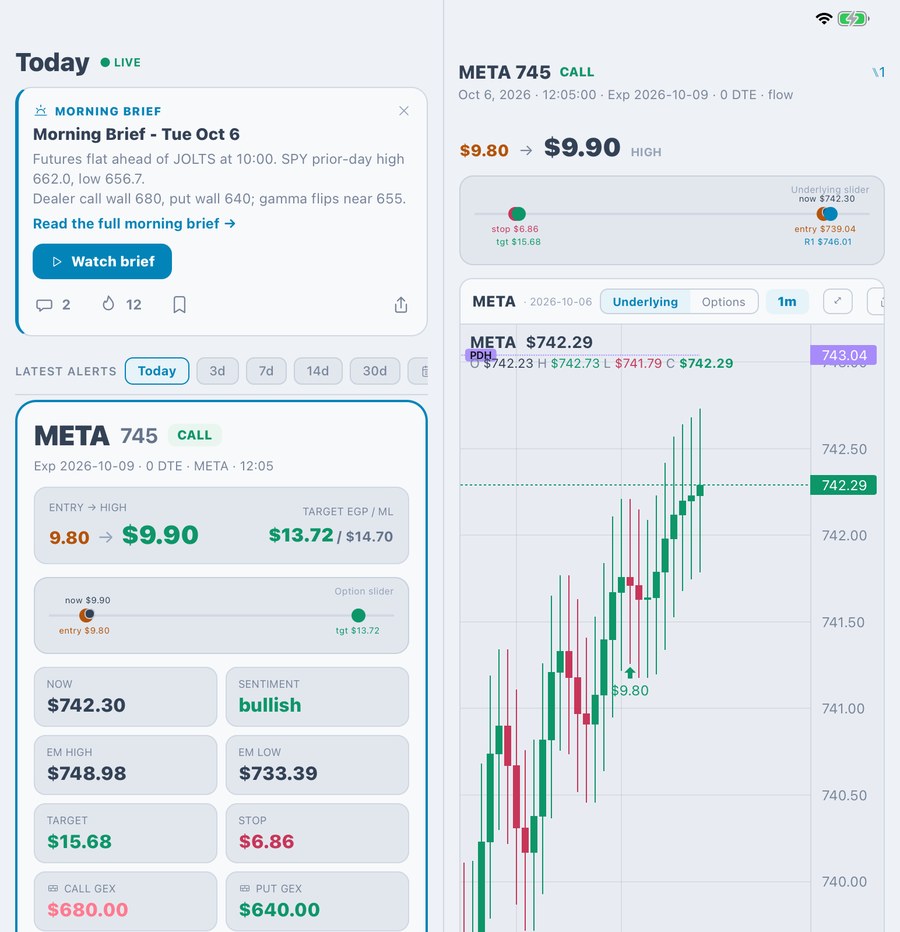
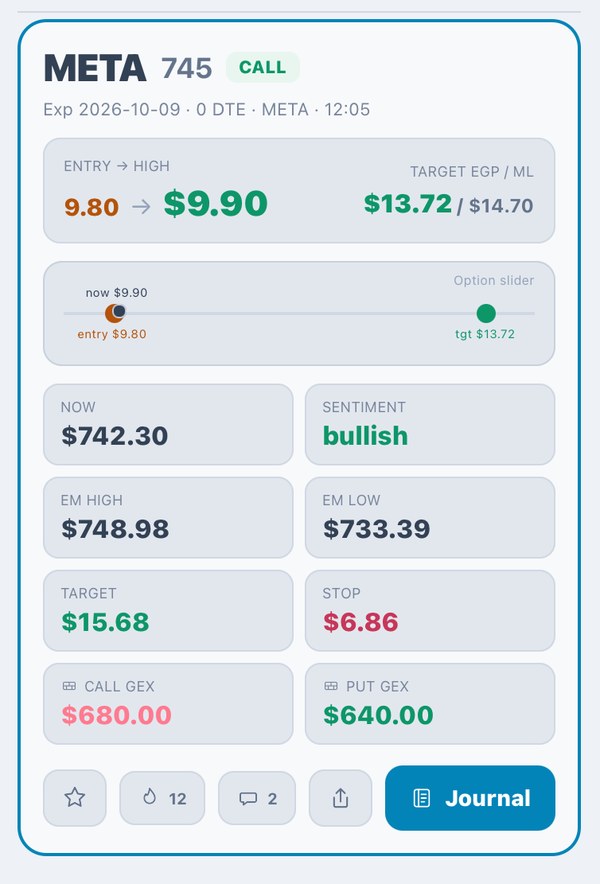
Each alert comes with the alert price, reference levels and expected move, ready to check on your chart.
Then trade it from your own brokerage, without jumping between screens.
Start free with live alerts. No card needed.
Who built it

Built by a Black Hawk pilot who automated mission planning
Ronald Ramirez flew UH-60s as a U.S. Army CW3 and earned the New York State Medal of Valor.
He lost money trading in 2008, automated forex in 2011, then built FHV in 2025.
Every alert shows the alert price, reference levels and expected move, so you see the full picture first.
Everything in one place
Trade through your own brokerage account — see supported brokerages
Start with curated channels. Make them yours.
Alerts on NTTS aren't a feed you're stuck with. They're a tool you control: pick the channels, set the filters and choose what pings your phone.
01
Follow a curated channel
We run index, equity and earnings channels so you have something useful from day one.
02
Tune it
Filter by ticker, sector, direction, days to expiry and score. Keep only the setups you'd actually trade.
03
Get pinged, then act
Every alert shows the alert price, reference levels (model output, not a recommendation) and the expected move. Open it on the chart or trade it in a couple of taps.
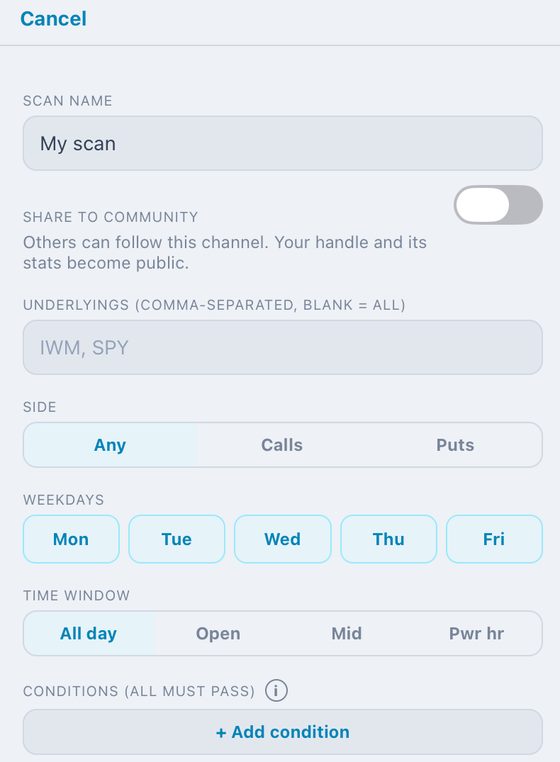
Build your own channel in a minute
Pick the tickers, calls or puts, the weekdays and the time of day. Then add conditions like days to expiry. Before you save, it backtests the channel on 30, 60 or 90 days of history.
The platform
One platform, from finding the trade to closing it.
Know the plan before you trade
Every alert opens to a full plan for that contract.
- ✓Reference levels (model output, not a recommendation) and the expected-move range
- ✓Alert price and key levels on one card
- ✓One tap from the alert to the trade ticket
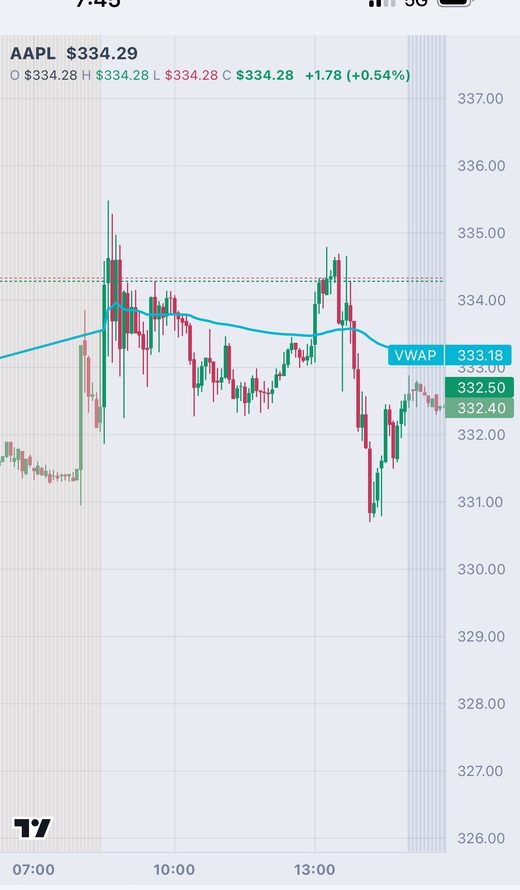
Charts with the levels that matter
The prior-day high and low, pivot and close are drawn for you, so the chart is ready when you open it.
- ✓Live candles for the stock and the contract
- ✓Alert markers on the chart
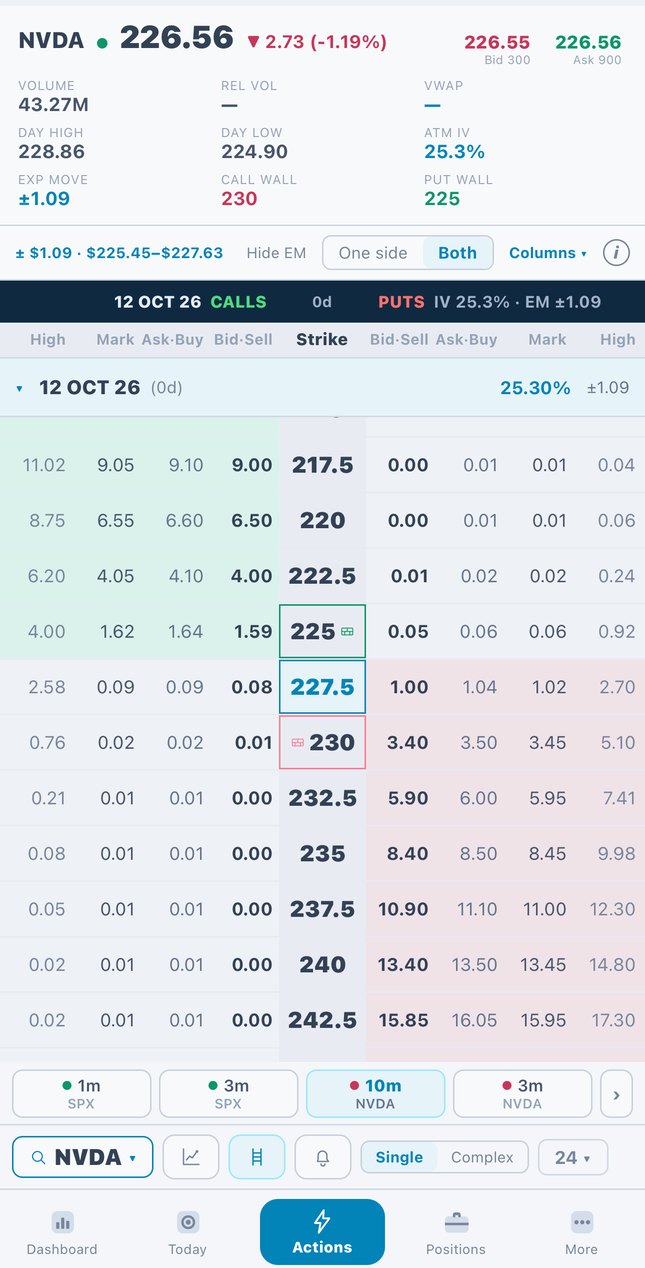
See where the gamma walls are
The full chain shows both sides with the expected move and IV, and the call and put walls are marked on the strikes.
- ✓Dealer positioning marked on the chain
- ✓Both sides, several expiries
- ✓Built for speed on a phone
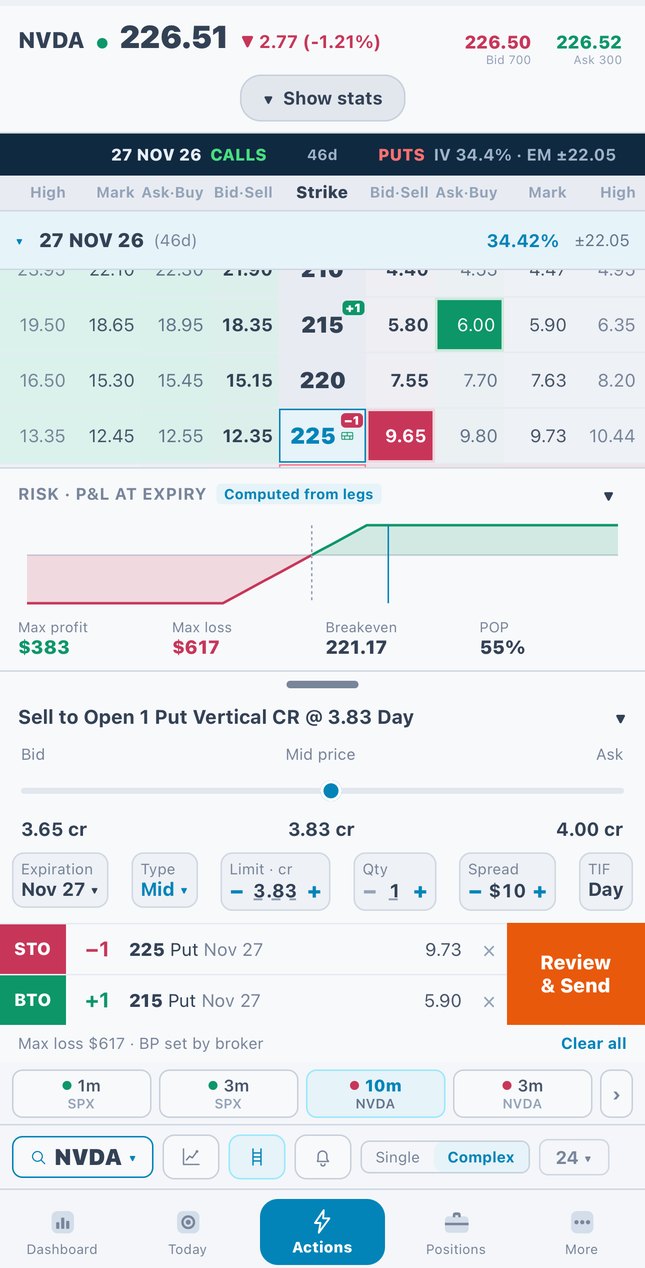
Build spreads in a few taps
Tap bid or ask to add legs. Max profit, max loss and breakeven update as you build.
- ✓Verticals and multi-leg orders
- ✓Profit and loss at expiry, worked out from your legs
- ✓Review, then send to your broker
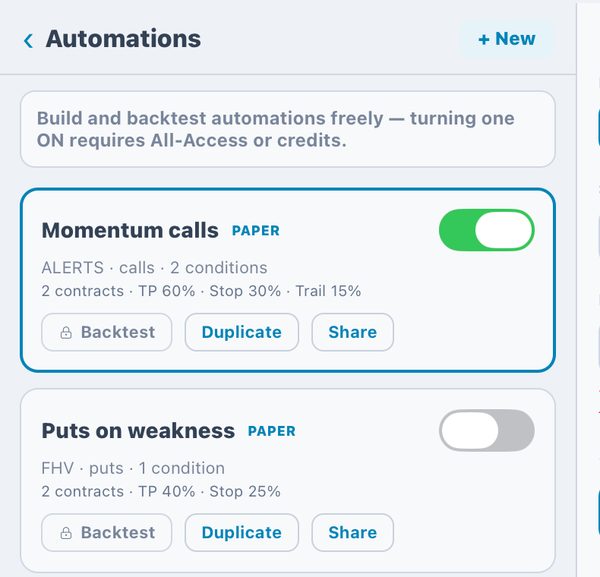
Put your rules on autopilot. Test them first.
Turn a setup into a rule with take-profit and stop-loss. Backtest it, run it on paper, then decide.
- ✓Backtest any automation before it runs
- ✓Paper mode by default
- ✓Missed entries are logged, not just filled ones
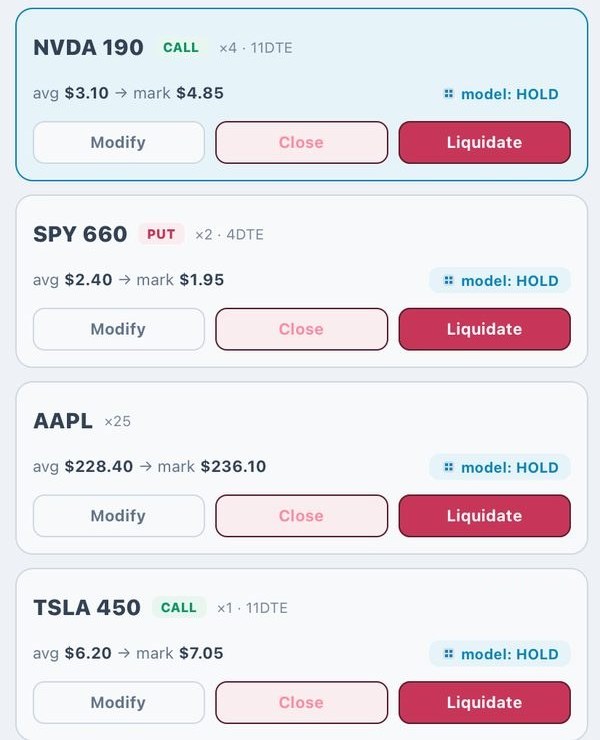
Your broker, your account, one screen
Connect your own brokerage. Live P&L, spread details and one-tap close all sit in one place, and your money never leaves your account.
- ✓Connect more than one broker
- ✓Positions, orders and activity
- ✓Every trade goes into your journal automatically
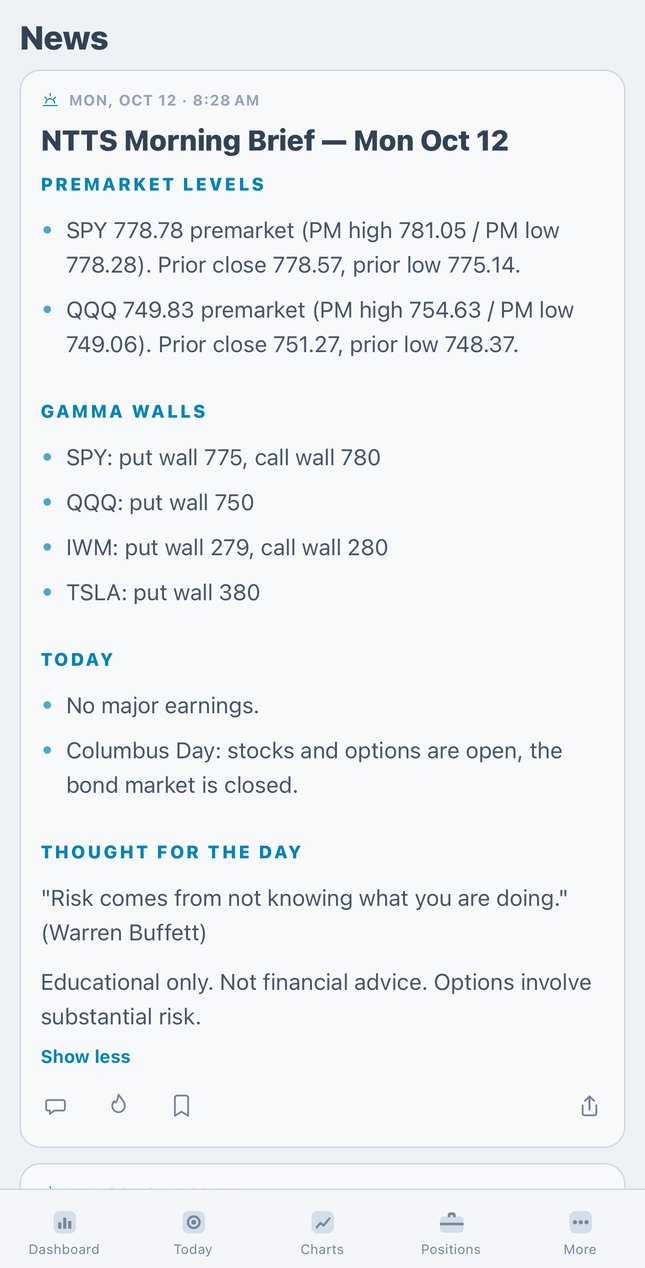
Start every session briefed
Before the open, get the key levels, the dealer walls and what to watch, written for the day ahead.
- ✓A morning brief every trading day
- ✓Daily recap after the close
- ✓Shown in the app
By the way
Check out our model alerts
Our ML models score thousands of contracts every session. Sign up free and see them live.
Try every alert channel for 14 days for $19
All-Access adds live model alerts, unlimited custom channels, automations and backtesting.
14-day trial
$19 for 14 days
- ✓Live model alerts
- ✓Unlimited custom channels
- ✓Automations
- ✓Backtesting
Then $129.99/mo. Cancel any time.
Try 14 days for $19Founding rate
$79.99/mo$129.99
All-Access for $79.99 a month instead of $129.99, first 50 members.
First 50 only
See it for yourself.
Make a free account, follow a curated channel and tune it. Upgrade only when you want the sharper tools.